Friday, January 11, 2013

Another Side Project

I finished another side project, this one is making a background similar to those seen on Windows Vista.
I used the photo they used in the tutorial, but I changed the color balances a lot.

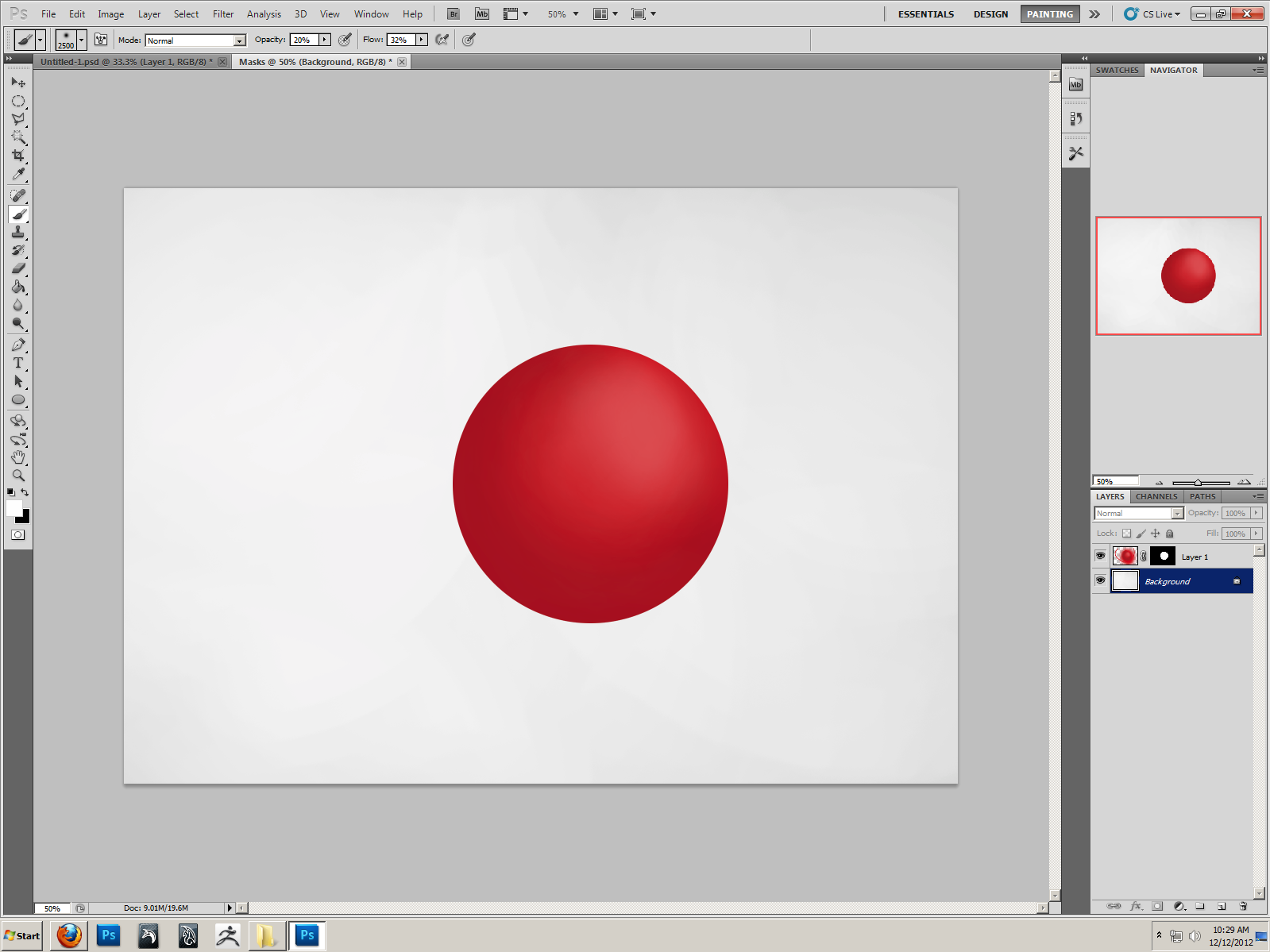
Sphere Progress

I am almost finished with the sphere. I am currently adding shadows, and working out small details. Adding the shadow was difficult at first because for some reason, Photoshop automatically changes the "Channels" to the "quick mask" every time I switch layers. This was an added difficulty, but I eventually figured out how to switch to RGB every time I needed to paint onto a new layer.
I realize I still have a lot of work cut out for me, however I am nearly positive I will finish this project soon.

Wednesday, January 9, 2013

Finished Abstract Work

This is the finished product of what I have been doing today. It started out with a lens flare and now is most definitely abstract. I used the transform>rotate tool a lot on this project, and I have been using the duplicate layers shortcut a lot as well.

Lens Flare Effects

This is the progress I am making on another side project. I am working with the effects of lens flare. The result is supposed to be an abstract design, but it currently looks like a star.

Monday, January 7, 2013

Side Projects

I am currently working on a few side projects, and taking a break from the sphere. I have decided to make a background that looks almost like fireworks, or maybe water. I created a render cloud, and from there on I was pretty much just using filters to create a new look.
This is the finished product.
This is when  was working on another background image. It is almost like a tornado with color. I found myself using multiple filters again. The Twirl filter seemed to have the most observable effect. Using the overlay blending option makes a huge difference.
This is the finished product.
This is the work I am currently doing. I am trying to get a nice pattern with cool colorings. I had some issues with the filter, as I was following the tutorial, it occurred to me that my canvas might be too big. I plan on fixing that.

Thursday, December 20, 2012

Today's Sphere Progress

Today, I worked on the blending of my sphere. It has definitely began to look better, and more realistic. I've added a better highlight, making it appear more smooth, but I will still have to continue to blend. I think that the sphere itself is just too dark. After break, I will work to create a shadow.

Sphere Progress from 12/18/12

I missed the actual upload date, but I will post this today. I have recently been working on a sphere project, and the progress is slow but steady. I use mostly the paintbrush, and have found the healing brush to be rather unhelpful in this process. I have spent my time trying to create a photo-real picture, and have found it to be both challenging and time-absorbing. While I am still having issues with the blending, I will work more on it today.

Friday, December 14, 2012

3D Sphere progress


This is the progress I have made on my sphere up to this point. I have used the techniques I've learned over the past few days (concerning blending mostly) for this project. This feels slightly more challenging than what else I've been doing. The next thing I will be working on will be the shadow.

Wednesday, December 12, 2012

3D Sphere

This is the sphere I am currently working on blending to make it look 3D.

Monday, December 10, 2012

Colors

I am currently blending the colors Red, Blue and Black together to make a perfect transition between them. I am not finished, but I am working hard to perfect my blending skills.

Thursday, December 6, 2012

Playing with Brushes

I am currently messing around with brushes in photoshop. I found one I like very much called the Fuzzball. I mixed opacity levels with the black and used the wet edges tool for some effects.

Tuesday, December 4, 2012

Room So Far

I finished everything I was told to do on the room so far. I added a carpet, window, door, and made a tile ceiling and wooden floor.

Friday, November 30, 2012

Monday, November 26, 2012

One Point Perspective

This is my One Point Perspective project. The Horizon line is in blue, while the Vanishing Point is in red. The rulers mark where the lights are, as there was no other real vertical lines.

Monday, November 19, 2012

Animation Final

I found this image and immediately knew that this is what I was going to be using. I started by cutting each segment of motion out and overlaying them. Then, using the animation bar I created this:


Thursday, November 15, 2012

Almost Done

I am very close to finishing the Gif, in fact I am just working on small details now.

Monday, October 15, 2012

Wednesday, October 3, 2012

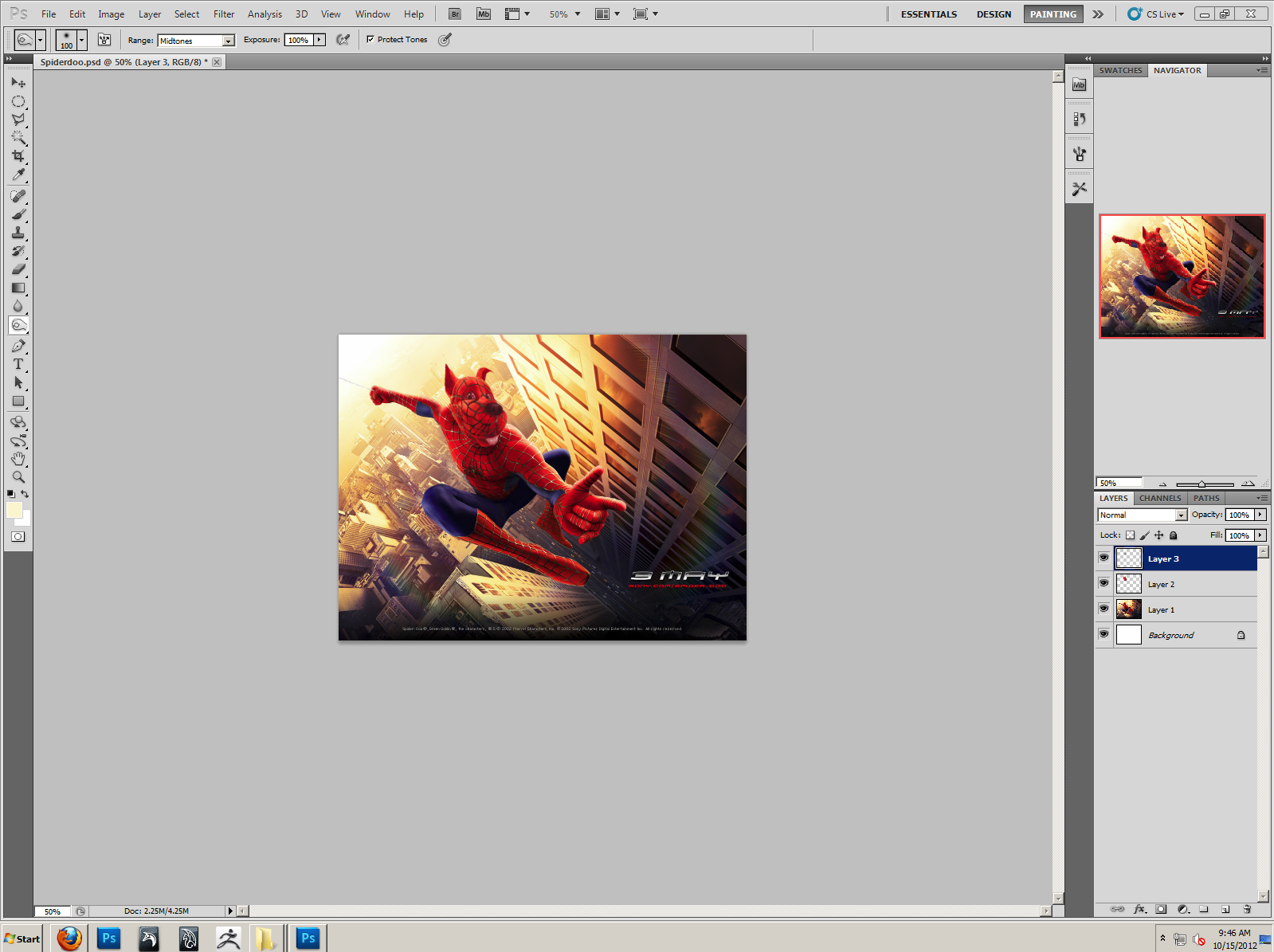
"Spider-Doo" Update

I am back to working on the "Spider-Doo" project. I changed the color of his head at a previous date, and today I have been working on the webbing. I started by cutting out Spider-Man's head, and pasting it to another layer. In this separate layer, I started to cut away the red from in between the webbing. I then cut out the eyes, as I had no use for them, and laid the new webbing on top of Scooby's head. I used the transform tool to shape the webbing to be more like Scooby's head, and then set to work rebuilding it.